


The Excel LET function formulas feature has become a useful solution for users who struggle with long and confusing spreadsheet calculations. Instead of writing extremely large formulas with repeated functions, Excel users can now organize their calculations into clearer steps.
Many spreadsheets become difficult to manage because formulas grow over time. A simple calculation can turn into a complicated combination of lookup functions, conditions, and repeated expressions.
Microsoft introduced LET to help users create formulas that are easier to understand, edit, and maintain.
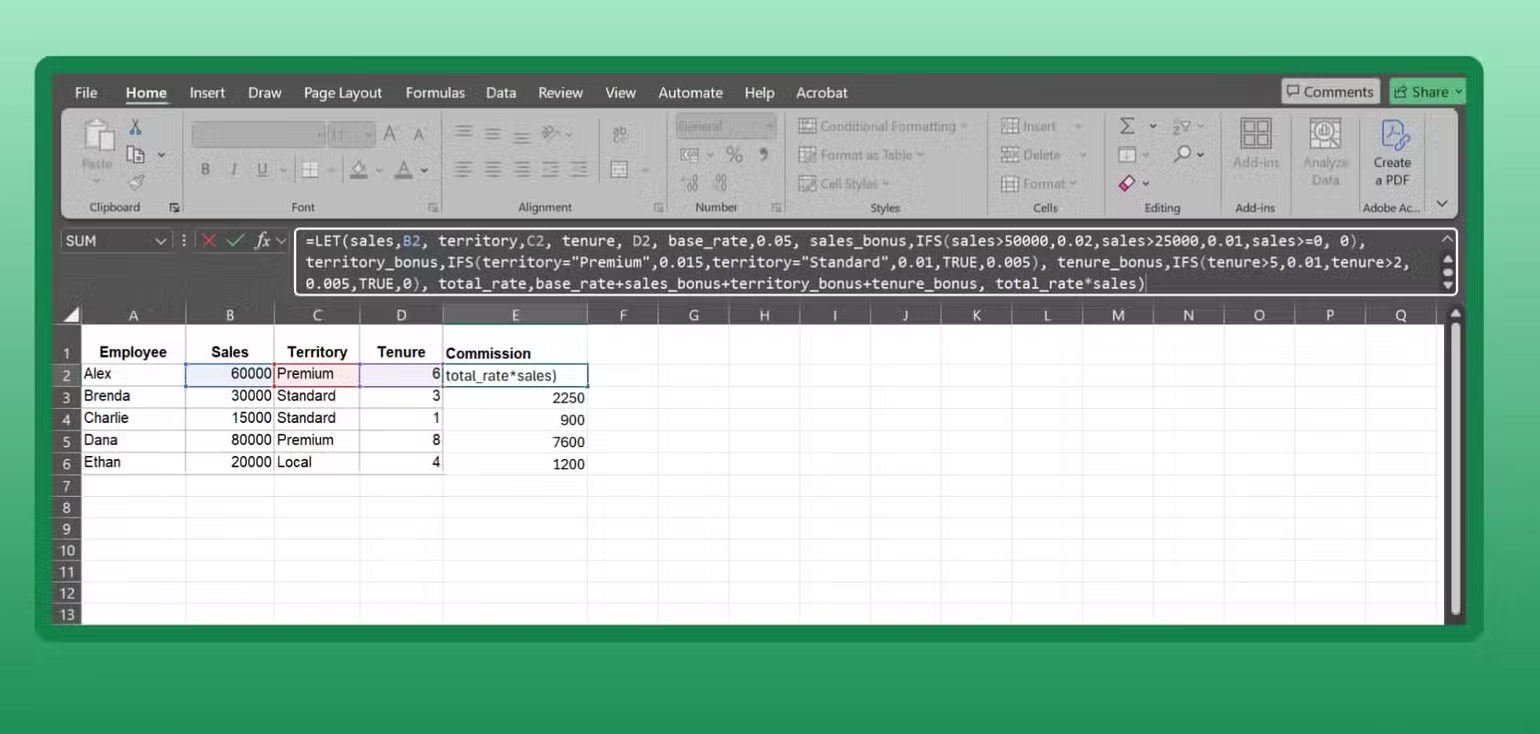

Why Complex Excel Formulas Become Difficult
Excel formulas often become messy when users combine multiple functions together.
A single formula may contain:
- Several XLOOKUP functions
- Multiple IF statements
- Repeated calculations
- Large data references
Although these formulas may work correctly, understanding what they do can become challenging.
The Excel LET function formulas approach helps solve this problem by allowing users to break a formula into smaller, named sections.
The Challenge of Repeated Calculations
Traditional Excel formulas often repeat the same calculation several times.
For example, a lookup result may need to appear in different parts of a formula. Without LET, Excel calculates the same information repeatedly.
This can make large spreadsheets slower and harder to update.
With LET, users can store a calculation once and reuse it throughout the formula.
How the Excel LET Function Works
The main idea behind LET is simple.
Users create names for parts of a formula, assign values to those names, and then use them in the final calculation.
The structure looks like this:
=LET(name1, value1, name2, value2, final_calculation)
This allows complicated formulas to be organized like a set of smaller instructions.
Creating Cleaner Spreadsheet Logic
The biggest advantage of Excel LET function formulas is improved readability.
Instead of looking at one long formula, users can see what each part represents.
For example, a user can name:
- A product lookup result
- A total calculation
- A tax amount
- A filtered data set
The final formula becomes easier to follow because every step has a clear purpose.

LET Improves Excel Performance
Another major benefit of LET is better calculation efficiency.
When Excel sees the same calculation multiple times in a normal formula, it may repeat the process.
LET changes this by storing the result and using it again when needed.
Faster Workbooks With Large Data
This improvement is especially useful for:
- Business reports
- Financial spreadsheets
- Inventory tracking
- Data analysis projects
Users working with thousands of rows can benefit from reduced unnecessary calculations.
The Excel LET function formulas method can make large workbooks more responsive while keeping formulas organized.
Using LET With XLOOKUP
One popular use of LET is combining it with XLOOKUP.
Many users rely on XLOOKUP to find information from large tables.
However, repeating the same lookup several times can make formulas longer.
LET allows users to store the lookup result and reference it later.
Easier Revenue Calculations
For example, a sales spreadsheet may need to find:
- Product price
- Quantity sold
- Total revenue
Instead of performing multiple searches repeatedly, LET can organize these steps.
The final calculation becomes much easier to read and update.
LET Works With FILTER and Dynamic Arrays
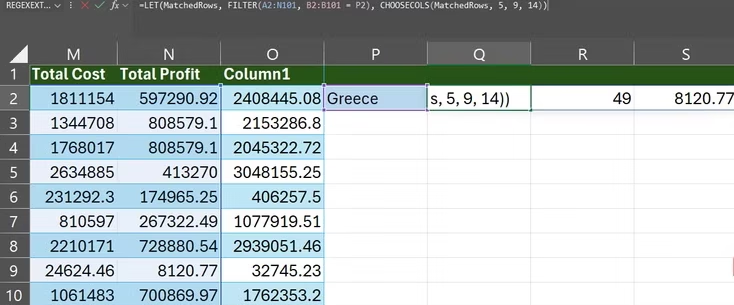
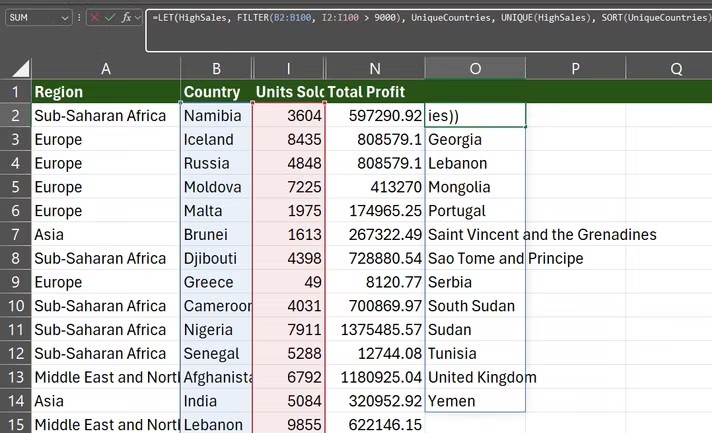
The Excel LET function formulas feature also works well with newer Excel tools such as FILTER and CHOOSECOLS.
These functions allow users to handle large amounts of information dynamically.
LET acts as a temporary storage area for results before they are transformed further.
Simplifying Data Analysis
A user can filter information based on a specific condition, store the result, and then select only the needed columns.
This reduces the need for extra worksheet calculations.
It also keeps spreadsheets cleaner and more professional.
Using LET to Control Random Functions
LET can also improve formulas that use changing functions such as RAND.
Some Excel functions generate new values whenever they are called.
This can create inconsistent results if the same function appears multiple times.
Keeping Formula Results Stable
By storing the value once, LET ensures the same result is reused.
This makes formulas more predictable and easier to test.
Best Practices for Using LET
Although LET is powerful, it should be used carefully.
Not every spreadsheet requires advanced formulas.
Simple calculations may not need additional structure.
The goal is to make formulas clearer, not unnecessarily complicated.
Use Clear Variable Names
When creating LET formulas, users should choose names that explain the purpose.
Good examples include:
- TotalSales
- CustomerValue
- TaxAmount
Clear names make spreadsheets easier for others to understand.

When LET Is Not the Best Choice
The Excel LET function formulas feature is most useful for complex calculations.
For basic formulas, adding LET may create unnecessary complexity.
Users should also consider who will open the workbook.
If others are unfamiliar with newer Excel functions, simpler formulas may sometimes be better.
The Future of Smarter Excel Workflows
Excel continues to evolve by adding features that make spreadsheet work more efficient.
The Excel LET function formulas tool brings a more programming style approach to everyday spreadsheet tasks.
By allowing users to create named calculations, LET makes difficult formulas easier to manage.
Whether you are working on business reports, data projects, or personal spreadsheets, LET can help turn confusing formulas into organized solutions.
FAQ
What are Excel LET function formulas used for?
Excel LET function formulas help users create cleaner formulas by assigning names to calculations and reusing results.
Does LET make Excel formulas faster?
Yes, LET can improve performance by preventing repeated calculations in complex formulas.
Can Excel LET work with XLOOKUP and FILTER?
Yes, LET can be combined with XLOOKUP, FILTER, and other modern Excel functions.
Should beginners use the LET function?
Beginners can use LET, but it is most helpful when working with large or complicated spreadsheet formulas.
Conclusion
The Excel LET function formulas feature provides a practical way to simplify complicated spreadsheet work. By organizing calculations into named steps, users can create formulas that are easier to read, maintain, and improve. LET helps transform difficult Excel tasks into cleaner and more efficient workflows.
PLEASE CLICK HERE FOR MORE NEWS


