


 0
0
 0
0
Apps secretly stealing your data have become a growing concern as privacy experts warn that many common smartphone applications collect far more information than users realize.
While mobile apps make daily tasks easier—from checking the weather to navigating cities—some apps quietly gather personal data in the background. This information can include location history, browsing behavior, contacts, and other sensitive details.
Technology researchers say the issue often stems from excessive app permissions, where apps request access to features that are not necessary for their main function.
Below is a closer look at the types of apps most commonly linked to data harvesting and how users can protect their personal information.
Why Many Apps Collect More Data Than Necessary
Many discussions about apps secretly stealing your data focus on how smartphone applications request permissions that go far beyond what their main function actually requires.
Smartphone apps often request permissions such as:
-
Location tracking
-
Microphone access
-
Contacts list access
-
Camera and photo gallery permissions
In many cases, these permissions are not required for the app’s core function.
Experts say the reason is largely commercial. Data collected from users can be:
-
Aggregated into advertising profiles
-
Sold to third-party data brokers
-
Used to target personalized ads
This practice has raised privacy concerns among technology researchers and regulators.
How Data Tracking Usually Works
Data collection in apps typically happens through embedded advertising trackers.
These trackers monitor user behavior, including:
-
Time spent inside apps
-
Location movements
-
Search patterns
-
Online purchases
The information is then compiled into detailed user profiles that advertisers can use to deliver targeted marketing.
Why Users Often Don’t Notice
Many people unknowingly grant access because permissions appear during the first app launch.
Common reasons users accept them include:
-
Quickly tapping “Allow” without reading
-
Believing the permission is required for the app to function
-
Not realizing data may be shared with third parties
Once permission is granted, the app may continue collecting data in the background.
Torch Apps: A Surprisingly Risky Category
One of the most frequently cited examples of apps secretly stealing your data involves third-party flashlight or torch apps.
Modern smartphones already include built-in flashlight features. However, some users still install additional torch apps from app stores.
Why Torch Apps Raise Privacy Concerns
Researchers have found that some flashlight apps request permissions such as:
-
Access to contacts
-
Microphone access
-
GPS location tracking
These permissions are unrelated to the app’s simple function of turning on a light.
Security experts often recommend deleting third-party flashlight apps entirely and relying on the built-in flashlight provided by the smartphone manufacturer.
Other Built-In Features You Don’t Need Apps For
Similar concerns apply to apps that duplicate features already included in the phone.
Examples include:
-
Camera apps
-
Calculator apps
-
File cleaner apps
Using the pre-installed versions can reduce the risk of unnecessary data collection.
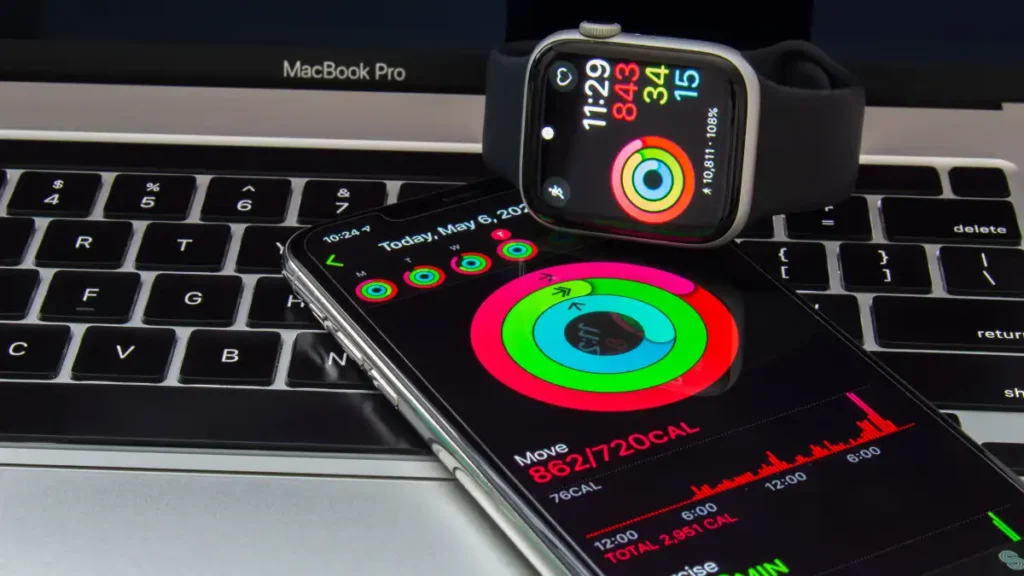
Lifestyle and Health Apps May Collect Sensitive Data
Fitness trackers, sleep monitoring apps, and calorie counters are among the most widely downloaded smartphone applications.
However, privacy analysts warn that some lifestyle apps gather extensive personal information.
Sensitive Data These Apps May Access
Some apps request access to:
-
Continuous location tracking
-
Microphone input
-
Photo libraries
-
Contact lists
In addition, health-related data can include:
-
Exercise routines
-
Sleep patterns
-
Heart rate or health metrics
This type of information is considered highly sensitive personal data in many privacy regulations.
Why Health Data Is Valuable
Aggregated health data may be useful to organizations such as:
-
Insurance companies
-
Pharmaceutical research firms
-
Employer wellness programs
Some app providers include data-sharing clauses within privacy policies. By accepting the terms during installation, users may unknowingly allow their data to be shared.
Real Investigations Highlighted Data Sales
Past investigations have shown how location data collected by smartphone apps can be sold through data broker networks.
In one widely reported case, data gathered from smartphone apps was later purchased by external organizations through commercial data markets.
Such findings intensified debates about digital privacy and mobile app transparency.
Navigation Apps and Location Tracking Risks
Another category frequently linked to apps secretly stealing your data involves navigation services that continuously track user locations.
However, concerns arise when location tracking continues even after the app is closed.
How Movement Profiles Are Created
Many navigation apps store a detailed location history, which can reveal:
-
Daily travel routines
-
Home and workplace locations
-
Shopping habits
-
Visits to hospitals or other sensitive locations
This data can then be used to build movement profiles that advertisers and data brokers find valuable.
Risks With Unknown GPS Apps
Privacy specialists warn that navigation apps from unknown developers may pose greater risks.
These apps may transmit location data directly to data broker companies, which combine the information with other personal datasets.
Users are often advised to:
-
Disable location history if it is not needed
-
Limit location access to “while using the app”
-
Remove navigation apps from unknown developers
Shopping Apps and Targeted Advertising
Shopping apps are another category often linked to extensive data tracking.
Large e-commerce platforms use collected data to personalize recommendations and advertising.
How Shopping Apps Build User Profiles
These apps may combine data such as:
-
Purchase history
-
Browsing activity
-
Location data
-
Device information
Together, these elements allow algorithms to predict consumer preferences with remarkable accuracy.
This explains why users sometimes notice advertisements related to topics they recently discussed or searched online.
Managing Data Collection From Shopping Apps
Privacy specialists suggest several steps:
-
Review permissions regularly
-
Limit location access
-
Use a web browser instead of the mobile app when possible
This can reduce the amount of personal data collected.
Weather Apps Are Among the Biggest Data Collectors
Weather applications are another major example of apps secretly stealing your data, despite appearing harmless and simple to use.
However, privacy researchers have found that many weather apps include multiple advertising trackers.
Why Weather Apps Request Extra Permissions
While location access helps provide local weather updates, some apps also request access to:
-
Contacts
-
Camera
-
Photo gallery
These permissions are not necessary for displaying weather forecasts.
Past Legal Cases Involving Weather Apps
Investigations have revealed instances where weather apps collected continuous location data, even when the app was not actively being used.
In certain cases, legal action was taken after authorities found that location data had been shared with third parties without clear user consent.
Such incidents highlight the privacy risks associated with seemingly simple apps.

How to Check App Permissions on Your Phone
Understanding which apps secretly steal your data begins with reviewing the permissions granted on your device.
Both Android and iOS provide tools to manage app access.
Checking Permissions on Android
Follow these steps:
-
Open Settings
-
Tap Apps
-
Select the app you want to review
-
Tap Permissions
From here, users can enable or disable specific permissions.
Checking Permissions on iPhone
On iOS devices:
-
Open Settings
-
Tap Privacy & Security
-
Select categories such as Location, Microphone, or Camera
-
Review which apps have access
Permissions can also be adjusted within each individual app’s settings.
Smart Permission Practices
To reduce privacy risks:
-
Allow permissions only when necessary
-
Limit location access to “While Using the App”
-
Avoid granting contact or microphone access unless required
-
Delete apps that request unrelated permissions
Regularly reviewing app permissions can significantly improve smartphone privacy.
FAQ
What are the most common apps secretly stealing your data?
Common categories include torch apps, weather apps, health trackers, shopping apps, and navigation apps that request excessive permissions.
Why do smartphone apps collect so much personal data?
Many apps collect data to create advertising profiles, improve targeted marketing, or sell aggregated information to third-party data brokers.
How can I check if an app is collecting my data?
You can review permissions in your phone’s settings under Privacy or App Permissions to see what information each app can access.
Is it safer to use built-in smartphone apps?
Built-in apps from phone manufacturers usually request fewer permissions than third-party alternatives, making them generally safer for privacy.
Conclusion
Concerns about apps secretly stealing your data continue to grow as smartphone applications become more deeply integrated into everyday life.While many apps provide valuable services, some collect far more information than their functionality requires. Reviewing permissions, limiting access to sensitive data, and removing unnecessary apps can help users protect their digital privacy. As awareness of mobile data practices increases, individuals can take practical steps to maintain greater control over their personal information.
PLEASE CLICK HERE FOR MORE NEWS





[…] FBI warning Chinese mobile apps privacy risks also includes guidance for individuals who may have been […]